
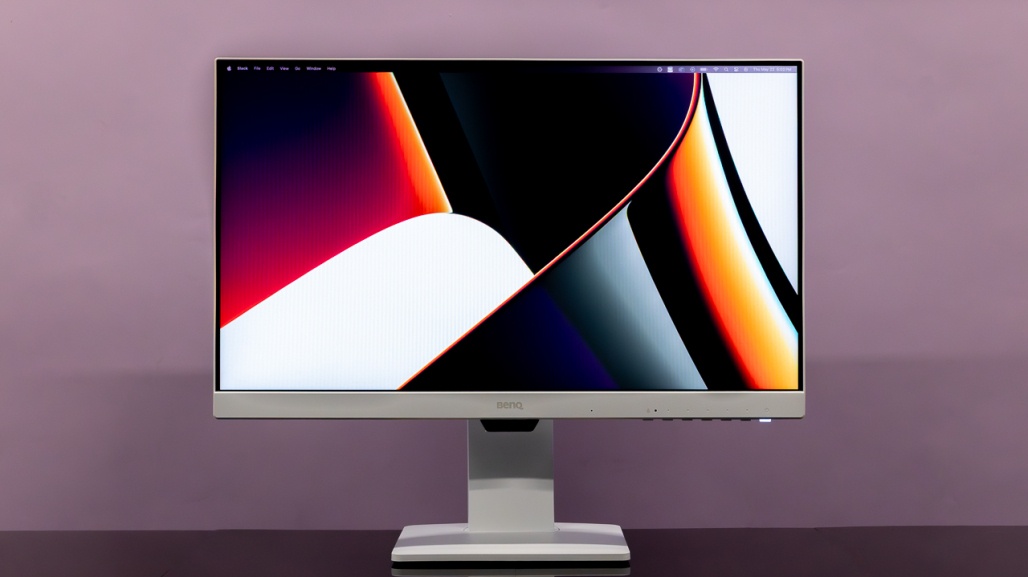
Exploring the Diverse World of Modern Computer Monitors
The Evolution of Computer Monitors: From CRT to 4K Displays
Computer monitors have come a long way since the days of bulky cathode ray tube (CRT) screens. With advancements in technology, modern monitors offer stunning visuals, high resolutions, and enhanced performance that cater to the diverse needs of users.
The Early Days: CRT Monitors
In the early days of computing, CRT monitors dominated the market. These bulky displays used electron beams to illuminate phosphors on a glass screen, producing images with limited resolution and colour depth. Despite their drawbacks, CRT monitors were a staple in households and offices for many years.
The Rise of LCD Monitors
The introduction of liquid crystal display (LCD) technology revolutionised the monitor industry. LCD monitors offered sleek designs, sharper images, and energy efficiency compared to their CRT counterparts. As LCD technology improved, users enjoyed higher resolutions and faster refresh rates for a more immersive viewing experience.
HD and Beyond: The Age of High-Definition Displays
With the advent of high-definition (HD) content, monitor manufacturers began producing displays with resolutions of 1080p and beyond. Users could now enjoy crystal-clear visuals for gaming, multimedia consumption, and productivity tasks. HD monitors became standard in households and workplaces worldwide.
4K Displays: The New Frontier
As technology continued to advance, 4K displays emerged as the new standard for visual excellence. With four times the resolution of 1080p screens, 4K monitors deliver unparalleled clarity and detail for professionals and enthusiasts alike. Whether you’re editing photos or watching movies, a 4K display offers an immersive viewing experience like never before.
Specialised Monitors for Every Need
Today, computer monitors come in various shapes and sizes to cater to different user requirements. From ultrawide curved displays for immersive gaming to colour-accurate professional monitors for graphic design work, there is a monitor for every need and budget.
The Future of Monitor Technology
Looking ahead, monitor technology continues to evolve with innovations such as OLED displays, high refresh rates, and HDR support on the horizon. As we embrace these advancements, one thing remains certain – computer monitors will continue to play a crucial role in our digital lives.
Whether you’re a casual user or a professional seeking top-tier performance, the world of computer monitors offers endless possibilities for enhancing your computing experience. Stay tuned as we witness the next chapter in monitor evolution unfold before our eyes.
Top 6 Advantages of Modern Computer Monitors: From Enhanced Visuals to Productivity Boosts
- Enhanced Visual Experience
- Multiple Connectivity Options
- Customisable Settings
- Space-Saving Design
- Eye-Friendly Features
- Enhanced Productivity
Drawbacks of Computer Monitors: Limited Portability, Eye Strain Risks, and High Energy Consumption
Enhanced Visual Experience
Computer monitors excel in enhancing the visual experience, offering users crisp images and vibrant colours that elevate their viewing experience to new heights. Whether engaged in intense gaming sessions, enjoying multimedia content, or maximising productivity tasks, the immersive quality of computer monitors ensures that every detail is vividly displayed with clarity and precision. By delivering stunning visuals and vibrant colours, computer monitors not only enrich entertainment experiences but also boost productivity by providing a visually engaging workspace.
Multiple Connectivity Options
Computer monitors offer the advantage of multiple connectivity options, providing users with a range of ports including HDMI, DisplayPort, and USB-C. This diverse selection of connectivity ports enables seamless connections to various devices, allowing for easy integration and enhanced versatility in your setup. Whether you need to connect your laptop, gaming console, or other peripherals, the abundance of connectivity options on modern monitors ensures that you can effortlessly switch between devices without the hassle of constantly unplugging and re-plugging cables.
Customisable Settings
One significant advantage of computer monitors is their customisable settings. Most monitors provide users with the flexibility to adjust various parameters such as brightness, contrast, colour calibration, and more. This level of customisation allows individuals to tailor the display to their specific preferences, ensuring optimal viewing comfort and visual accuracy based on their unique needs and environment. By fine-tuning these settings, users can create a personalised viewing experience that enhances productivity, reduces eye strain, and delivers true-to-life colours for an immersive computing experience.
Space-Saving Design
The space-saving design of modern computer monitors is a notable pro that benefits users in various ways. With their slim and sleek profiles, these monitors efficiently utilise desk space, making them ideal for compact workstations or home setups. Despite their slender build, these monitors boast large screen sizes that enhance productivity and entertainment experiences. By maximising screen real estate without compromising on aesthetics, users can enjoy a clutter-free workspace while immersing themselves in vibrant visuals and engaging content.
Eye-Friendly Features
Many modern computer monitors offer eye-friendly features that prioritise user comfort during extended use. With built-in blue light filters and flicker-free technology, these monitors aim to reduce eye strain and discomfort, making them ideal for individuals who spend long hours in front of screens. By minimising the harmful effects of blue light and eliminating screen flicker, these innovative features promote healthier viewing habits and contribute to a more comfortable computing experience.
Enhanced Productivity
Enhanced Productivity: Larger screens or multi-monitor setups can significantly boost productivity by enabling efficient multitasking across various applications or windows. With more screen real estate to work with, users can seamlessly switch between tasks, compare information side by side, and stay organised without the need for constant window rearrangement. This enhanced workflow not only saves time but also improves focus and overall efficiency in completing tasks effectively.
1. Limited Portability
Computer monitors are often hindered by their limited portability, as they are usually bulky and not optimised for easy transport. This lack of portability can be a significant drawback for users who rely on mobile computing solutions or frequently need to work on the go. The cumbersome nature of computer monitors can restrict flexibility and convenience, making it challenging for users to seamlessly transition between different work environments or locations.
2. Potential Eye Strain
Prolonged use of computer monitors, particularly those lacking proper ergonomics or sufficient blue light filters, poses a significant risk of eye strain and discomfort. Inadequate adjustments to screen brightness, contrast, or positioning can contribute to visual fatigue and potential long-term eye health issues. It is essential for users to be mindful of their monitor setup and take regular breaks to alleviate the strain on their eyes during extended screen time.
3. High Energy Consumption
One notable con of computer monitors is their high energy consumption, especially in the case of larger and high-resolution displays. These monitors often require more power to operate efficiently, leading to increased electricity consumption and subsequently higher utility bills. Additionally, the heightened energy usage contributes to a greater environmental impact, as more electricity generation is needed, potentially increasing carbon emissions and overall resource depletion. As users strive for better visual quality and larger screen sizes, it’s essential to consider the trade-off in terms of energy efficiency and sustainability when choosing a monitor for daily use.