
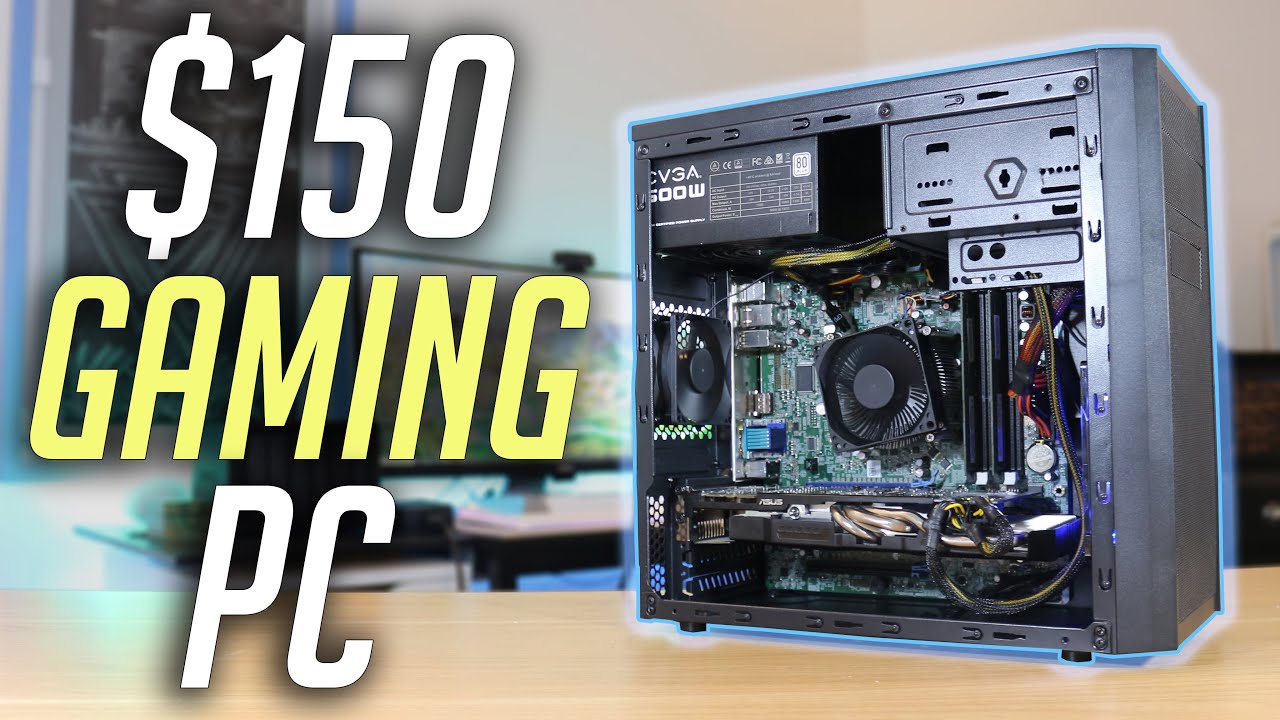
Cheap Computers: How to Find the Best Value for Your Budget
Cheap Computers: How to Find the Right One for Your Needs
A cheap computer can be a smart buy if you choose one that suits the way you plan to use it. Whether you need a device for browsing, studying, video calls or everyday office tasks, there are plenty of affordable options. The key is to look beyond the price tag and compare performance, condition and long-term value.
Decide what you need it for
Start by listing the tasks you expect your computer to handle. A basic model may be perfectly suitable for web browsing, email, streaming, word processing and online learning. More demanding work, such as video editing, modern gaming or running specialist software, usually calls for a faster processor, more memory and stronger graphics capabilities.
Choosing a computer designed for your actual needs helps you avoid paying for features you will rarely use — or buying a model that struggles with everyday tasks.
Choose the right type of computer
- Laptop: A practical choice if you need portability and want a screen, keyboard and battery in one device.
- Desktop PC: Often offers good value for performance and can be easier to upgrade, but it requires a separate monitor and takes up more space.
- Chromebook: A budget-friendly option for people who mainly use web-based services and apps. Check that the software you need is supported before buying.
- Refurbished computer: A professionally refurbished model can offer better specifications for the price than a new entry-level device. Check the seller’s warranty, returns policy and description of the computer’s condition.
Check the specifications
You do not need to understand every technical detail, but a few specifications have a noticeable effect on everyday use:
- Memory (RAM): More memory helps a computer manage several open tabs and applications. For general use, 8GB is a sensible target where your budget allows; 4GB may feel restrictive for modern multitasking.
- Storage: An SSD (solid-state drive) generally makes a computer start up and load applications more quickly than an older mechanical hard drive. Check the capacity too, especially if you store lots of photos, videos or documents.
- Processor: Entry-level processors can handle simple tasks, but performance varies. Look for reviews of the specific model rather than relying on a processor name alone.
- Screen and keyboard: If you will spend a lot of time working or studying, a comfortable keyboard and a clear screen matter. For a laptop, check the screen size, resolution and condition.
- Battery life: For a used laptop, battery performance may have reduced over time. Ask about its condition and check whether replacement batteries are available.
Consider the total cost
The cheapest computer is not always the least expensive option in the long run. A desktop may need a monitor, keyboard and mouse, while a laptop may require an adapter or a replacement battery. You might also need software, cloud storage or a backup drive.
Check what is included in the price and make sure the computer can receive security updates for its operating system. A very low price can be less appealing if the device is outdated, difficult to repair or unsuitable for the programmes you rely on.
Buying second-hand or refurbished
Used and refurbished computers can be excellent value, but buy from a reputable seller where possible. Find out whether the device has been tested, whether it comes with a warranty and how long you have to return it. Check for cosmetic damage, missing accessories and signs of wear on the keyboard, screen and charging port.
Before using a second-hand computer, make sure it has been reset properly and that the previous owner’s accounts and files have been removed. Install available system updates and use trusted security software.
Ways to save money
- Compare the full specifications, not just the headline price.
- Look for last year’s models, which may be discounted when newer versions arrive.
- Consider a refurbished business laptop from a reputable seller.
- Buy only the features you need rather than paying extra for high-end components.
- Check the warranty, delivery costs and returns policy before ordering.
Finding a computer that offers good value
A good cheap computer does not have to be the most powerful model on the market. It should be reliable, comfortable to use and capable of handling your regular tasks. Set a budget, compare a few options and pay close attention to memory, storage, condition and support. With a little research, it is possible to find an affordable computer that delivers dependable value.
Top 5 Advantages of Budget Computers: Affordable, Versatile, and Upgradable Options
- Affordable upfront cost
- Suitable for everyday tasks
- Wide range of models
- Refurbished options can offer great value
- Easy to upgrade some models
Drawbacks of Budget Computers: Slower Performance, Limited Capacity, and Reduced Reliability
- May have slower performance.
- Often come with limited storage and memory.
- Can have shorter warranties or less reliable build quality.
Affordable upfront cost
One of the main advantages of cheap computers is their affordable upfront cost. They make it easier to get online, study or handle everyday tasks without a large initial investment. This can be especially helpful for students, families and small businesses working within a tight budget, while leaving more money available for essential accessories or other expenses.
Suitable for everyday tasks
Cheap computers are often well suited to everyday tasks such as browsing the internet, checking emails, writing documents, watching videos and joining video calls. For many people, these activities do not require high-end specifications, so an affordable computer can provide all the performance they need without stretching their budget.
Wide range of models
One of the advantages of cheap computers is the wide range of models available. From compact laptops and Chromebooks to refurbished desktops, there are options for different needs, preferences and budgets. This variety makes it easier to find a computer with the features that matter most, whether you need a simple device for browsing and emails or a practical machine for work and study.
Refurbished options can offer great value
Refurbished computers can offer excellent value, giving you access to better specifications for less than the cost of a new device. Many have been professionally tested, repaired where necessary and cleaned before resale, and reputable sellers may include a warranty for added peace of mind. Check the computer’s condition, battery health, warranty and returns policy so you know exactly what you’re buying.
Easy to upgrade some models
Some cheap computers, particularly desktop PCs, are easy to upgrade as your needs change. You may be able to add more memory, replace the storage drive or install a better graphics card without buying a whole new machine. This can help extend the computer’s useful life and spread the cost of improved performance over time. Before purchasing, check which components are upgradeable and whether compatible parts are readily available.
May have slower performance.
One drawback of cheap computers is that they may have slower performance, particularly when running several programmes at once or handling demanding tasks. They often use less powerful processors, have limited memory or rely on slower storage, which can lead to longer start-up times and delays when opening applications. For basic browsing and word processing this may be manageable, but it is worth checking the specifications and reviews before buying.
Often come with limited storage and memory.
One drawback of cheap computers is that they often come with limited storage and memory. This can leave less room for files, photos and applications, while making it harder to run several programmes or browser tabs at once. As a result, the computer may feel slower as your needs grow, and you may need to rely on external storage or consider an upgrade.
Can have shorter warranties or less reliable build quality.
Cheap computers may come with shorter warranties, so repairs or replacement parts could become your responsibility sooner. Some budget models may also use less robust materials or components, making them more vulnerable to wear and damage with regular use. Check the warranty terms, reviews and build quality before buying to make sure the lower price still offers good value.