
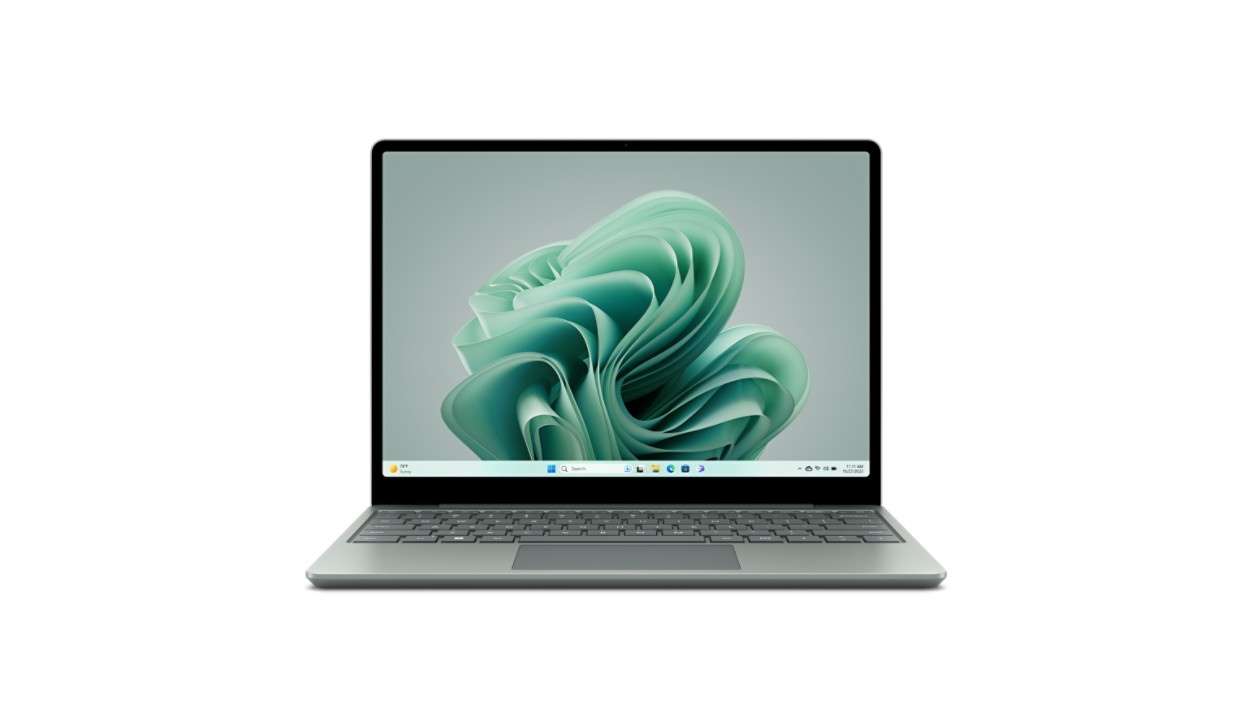
Microsoft Laptop Go: A Compact Choice for Everyday Computing
Microsoft Surface Laptop Go: A Compact Laptop for Everyday Use
The Microsoft Surface Laptop Go is a lightweight, compact laptop designed for everyday computing. Part of Microsoft’s Surface range, it combines a portable design with a touchscreen and the familiar Windows experience. It may suit students, commuters and anyone who wants a simple laptop for browsing, writing and video calls.
What is the Surface Laptop Go?
“Microsoft Laptop Go” usually refers to the Microsoft Surface Laptop Go. The range includes several generations, so features and performance vary by model. Later versions generally offer newer processors and other updates, while keeping the same focus on portability and everyday use.
Before buying, check the exact model name and specifications. Screen size, processor, memory, storage, ports and other features can differ between versions and configurations.
Design and portability
The Surface Laptop Go is smaller and lighter than many traditional laptops, making it convenient to carry between home, work or classes. Its compact size is useful when desk space is limited, and the laptop’s built-in keyboard and trackpad mean there is no need to carry separate accessories for basic tasks.
The touchscreen adds another way to navigate Windows, though the Laptop Go is a conventional laptop rather than a tablet-style 2-in-1. It is not designed to fold into a tablet or detach from its keyboard.
Performance for everyday tasks
Depending on the generation and configuration, a Surface Laptop Go can handle common tasks such as writing documents, browsing the web, checking email, joining video calls and streaming programmes. It can also run many standard productivity and study applications.
For demanding work—such as modern gaming, intensive video editing or complex 3D design—a more powerful laptop may be a better choice. Performance also depends on the amount of memory and the processor in the particular model, so compare specifications rather than relying on the product name alone.
Screen, keyboard and video calls
The compact touchscreen is well suited to everyday use, but its smaller size may feel restrictive for people who regularly work with several windows or long spreadsheets. If you spend a lot of time at a desk, connecting an external monitor can provide more room.
The built-in keyboard is designed for typing, while the webcam and microphone support online meetings and calls. Check the specifications of the model you are considering if camera quality is especially important to you.
Battery life and connections
Battery life varies with the model, applications, screen brightness and settings. As with any laptop, demanding tasks and frequent video calls can use more power than light browsing or document editing. Independent reviews can help set realistic expectations for a particular generation.
Port selection can also vary. Review the laptop’s connections before purchasing, especially if you need to attach a monitor, wired headphones, a memory card or older USB devices. An adapter or docking station may be needed for some accessories.
Who is the Surface Laptop Go for?
The Surface Laptop Go may be a good fit if you want:
- a portable Windows laptop for everyday tasks;
- a built-in touchscreen and keyboard;
- a compact device for study, work or travel; and
- a laptop for browsing, writing, email and video calls.
It may be less suitable if you need a large display, extensive connectivity or high performance for specialist software and demanding creative work.
What to check before buying
Compare the exact generation and configuration, paying particular attention to the processor, memory and storage. Also consider the screen size, available ports, battery-life reviews, warranty and price. A refurbished or older model may offer good value, but its condition and remaining software support should be checked carefully.
Is the Microsoft Surface Laptop Go worth considering?
The Surface Laptop Go is a practical option for people who value portability and want a straightforward laptop for everyday computing. Its compact design and touchscreen are appealing, but the smaller display and differences between generations make it important to choose the right configuration for your needs. Compare current alternatives and prices before deciding, especially if you require extra performance or a larger screen.
Microsoft Surface Laptop Go: Six Benefits for Everyday Use and Travel
- Lightweight and easy to carry
- Compact design suits travel
- Touchscreen for intuitive navigation
- Comfortable built-in keyboard
- Good for everyday tasks
- Runs familiar Windows software
Microsoft Surface Laptop Go: Four Drawbacks to Consider
- Small screen may feel cramped.
- Limited ports on some models.
- Not suited to demanding workloads.
- Specifications vary by generation.
Lightweight and easy to carry
The Microsoft Surface Laptop Go is lightweight and easy to carry, making it a convenient choice for commuting, travelling or moving between classes and meetings. Its compact design fits comfortably into many bags, so you can take it with you without the bulk of a larger laptop.
Compact design suits travel
The Microsoft Surface Laptop Go’s compact design makes it easy to carry between home, work and study. Its light, space-saving build fits comfortably into a bag, making it a handy choice for commuting, travelling or working on the move.
Touchscreen for intuitive navigation
The Microsoft Surface Laptop Go’s touchscreen makes everyday navigation feel natural and intuitive. Tap to open apps, select items or scroll through web pages, and use familiar gestures to zoom in on photos and documents. It offers a convenient alternative to the trackpad, particularly when browsing or presenting content, while keeping the flexibility of a traditional laptop.
Comfortable built-in keyboard
The Microsoft Surface Laptop Go has a comfortable built-in keyboard that makes everyday typing feel natural, whether you’re writing notes, replying to emails or working on longer documents. Its well-spaced keys help you type confidently, while the integrated design means there’s no need to carry a separate keyboard—handy when working on the move.
Good for everyday tasks
The Microsoft Surface Laptop Go is well suited to everyday tasks such as browsing the web, checking emails, writing documents, attending video calls and streaming programmes. Its compact design makes it easy to use at home, at work or on the move, while Windows provides access to familiar productivity and study apps. For typical day-to-day use, it offers a convenient balance of portability and capability.
Runs familiar Windows software
One of the advantages of the Microsoft Surface Laptop Go is that it runs familiar Windows software, making it easy to use everyday applications for work, study and entertainment. You can browse the web, write documents, manage email and join video calls using programmes you already know, while enjoying the convenience of a compact laptop.
Small screen may feel cramped.
The Microsoft Surface Laptop Go’s compact screen makes the laptop easy to carry, but it may feel cramped during extended use. Working with spreadsheets, editing documents or keeping several windows open can be less comfortable on the smaller display. If you need more screen space, consider connecting an external monitor or choosing a laptop with a larger screen.
Limited ports on some models.
Some Microsoft Surface Laptop Go models have a limited selection of ports, which can be inconvenient if you regularly connect several accessories, such as an external monitor, USB devices or wired headphones. You may need to unplug and reconnect equipment or use an adapter or docking station, adding extra cost and clutter. Check the ports on the specific model before buying, as they can vary between generations.
Not suited to demanding workloads.
The Microsoft Surface Laptop Go is best suited to everyday tasks such as browsing, writing and video calls, rather than demanding workloads. Activities like intensive video editing, 3D design and modern gaming may push its hardware beyond its comfort zone, leading to slower performance. If you regularly use resource-heavy software, consider a more powerful laptop with a faster processor and more memory.
Specifications vary by generation.
One drawback of the Microsoft Surface Laptop Go is that its specifications vary by generation and configuration. Processor, memory, storage, ports and other features may differ, even when models have similar names, so it can be difficult to compare them at a glance. Check the exact model number and full specifications before buying to make sure it meets your needs.