
Unlocking Efficiency with Microsoft Project Management Tools
The Power of Microsoft Project Management Tools
Effective project management is crucial for the success of any endeavour, whether it’s a small personal project or a large-scale business initiative. Microsoft offers a range of powerful project management tools that can streamline workflows, improve collaboration, and boost productivity. Let’s explore some of the key features and benefits of these tools.
Microsoft Project
Microsoft Project is a comprehensive project management software that allows users to plan, track progress, allocate resources, and manage budgets effectively. It provides a visual timeline for projects, making it easy to monitor tasks and deadlines. With features such as Gantt charts, resource management tools, and reporting capabilities, Microsoft Project is ideal for complex projects that require detailed planning and execution.
Microsoft Planner
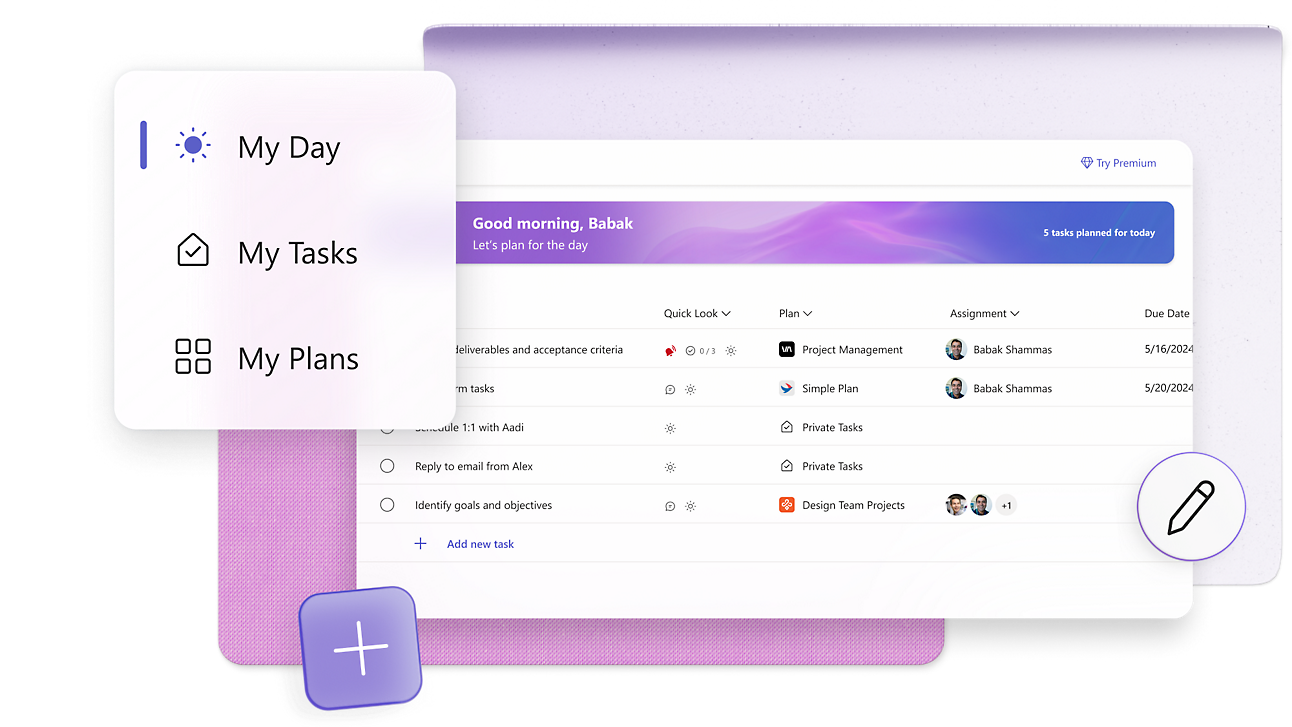
For teams looking for a more collaborative project management solution, Microsoft Planner is an excellent choice. This tool enables users to create boards for different projects, assign tasks to team members, set deadlines, and track progress in real-time. With its intuitive interface and integration with other Microsoft 365 apps like Teams and Outlook, Planner promotes seamless communication and teamwork among team members.
Microsoft Teams
While not solely a project management tool, Microsoft Teams plays a significant role in facilitating project collaboration and communication. Teams allows users to create dedicated channels for different projects where team members can share files, hold meetings, and collaborate on tasks in real-time. Integration with other Microsoft apps ensures that all project-related information is easily accessible within the Teams platform.
Benefits of Using Microsoft Project Management Tools
- Improved Efficiency: By centralising project information and communication within one platform, Microsoft tools help streamline workflows and eliminate duplication of effort.
- Enhanced Collaboration: With features like task assignment and real-time updates, teams can collaborate more effectively regardless of their location.
- Better Decision-Making: Access to real-time data and reporting tools empowers project managers to make informed decisions quickly.
- Scalability: Whether you’re managing a small team or a large enterprise project, Microsoft tools can scale to meet your needs.
In conclusion, Microsoft’s suite of project management tools offers a robust solution for organisations looking to improve efficiency, collaboration, and overall project success. By leveraging these tools effectively, teams can stay organised, meet deadlines consistently, and achieve their goals with confidence.
7 Essential Tips for Mastering Microsoft Project Management Tools
- Utilize the Gantt chart feature to visually represent project timelines and dependencies.
- Set realistic deadlines and milestones to keep the project on track.
- Assign tasks to team members and track their progress using the built-in tracking tools.
- Use resource management tools to allocate resources efficiently and avoid overloading team members.
- Regularly update and communicate project status with stakeholders using reporting features.
- Take advantage of collaboration features to foster communication and teamwork among project members.
- Customize dashboards and reports to suit your specific project management needs.
Utilize the Gantt chart feature to visually represent project timelines and dependencies.
By utilising the Gantt chart feature in Microsoft Project management tools, users can visually represent project timelines and dependencies with clarity and precision. This powerful visualisation tool offers a comprehensive overview of tasks, milestones, and their interdependencies, enabling project managers to effectively plan and track progress. By leveraging the Gantt chart feature, teams can identify critical paths, allocate resources efficiently, and ensure that projects stay on schedule.
Set realistic deadlines and milestones to keep the project on track.
Setting realistic deadlines and milestones is a crucial tip when utilising Microsoft project management tools to ensure the project stays on track. By establishing achievable timelines and key milestones, teams can effectively monitor progress, allocate resources efficiently, and maintain focus on the project’s objectives. Realistic deadlines help prevent delays and ensure that tasks are completed within a reasonable timeframe, contributing to the overall success of the project. With Microsoft tools like Project and Planner, teams can easily visualise these deadlines and milestones, making it easier to track progress and make necessary adjustments to keep the project moving forward smoothly.
Assign tasks to team members and track their progress using the built-in tracking tools.
To enhance project efficiency and ensure timely completion, a valuable tip when using Microsoft project management tools is to assign tasks to team members and track their progress using the built-in tracking tools. By assigning specific tasks to individuals and monitoring their progress through the tracking tools, project managers can maintain visibility on project timelines, identify potential bottlenecks early on, and make informed decisions to keep the project on track. This approach fosters accountability among team members and promotes a collaborative environment where everyone is aligned towards achieving common project goals.
Use resource management tools to allocate resources efficiently and avoid overloading team members.
To maximise project efficiency and prevent burnout among team members, it is essential to utilise resource management tools provided by Microsoft Project Management. These tools enable project managers to allocate resources effectively, ensuring that workloads are distributed evenly and deadlines are met without overwhelming any individual team member. By carefully monitoring resource allocation and adjusting as necessary, teams can maintain a healthy balance of tasks while optimising productivity and achieving project goals successfully.
Regularly update and communicate project status with stakeholders using reporting features.
To maximise the effectiveness of Microsoft project management tools, it is essential to regularly update and communicate project status with stakeholders using the reporting features available. By providing stakeholders with timely updates on progress, milestones, and potential challenges, you ensure transparency and alignment across all involved parties. Utilising reporting features allows for clear and concise communication of project status, enabling stakeholders to make informed decisions and adjustments as necessary. This proactive approach fosters collaboration, builds trust, and ultimately enhances the overall success of the project.
Take advantage of collaboration features to foster communication and teamwork among project members.
Utilising the collaboration features of Microsoft project management tools can significantly enhance communication and teamwork within project teams. By leveraging tools such as Microsoft Planner and Teams, project members can easily assign tasks, share updates, and collaborate in real-time. Encouraging open communication and seamless information sharing fosters a sense of unity among team members, leading to increased productivity and more successful project outcomes. Embracing these collaboration features not only improves efficiency but also creates a supportive environment where ideas can flourish and projects can thrive.
Customize dashboards and reports to suit your specific project management needs.
Tailoring dashboards and reports to align with your unique project management requirements can significantly enhance your efficiency and decision-making process when utilising Microsoft project management tools. By customising these features, you can focus on the key metrics and information that matter most to your project, ensuring that you have a clear overview of progress, resource allocation, and potential challenges. This flexibility allows you to adapt the tools to suit the specific needs of your project, enabling better insights and more informed decision-making throughout the project lifecycle.