
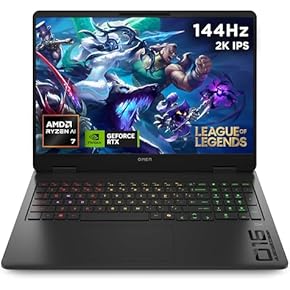
Amazon Laptop Buying Guide: How to Choose the Right Model
Buying a Laptop on Amazon: What to Look For
Searching for an Amazon laptop can bring up hundreds of models, from affordable everyday computers to powerful machines for gaming and creative work. The choice is wide, so it helps to know what you need before comparing listings. This guide covers the main features to consider and practical tips for shopping online.
Choose a laptop for the way you’ll use it
Start by thinking about your everyday tasks. For web browsing, email, video calls and documents, a basic laptop may be all you need. Students may value a lightweight design, dependable battery life and a comfortable keyboard. For photo or video editing, look for a faster processor, more memory and a high-quality screen. Gaming laptops generally need a dedicated graphics card, effective cooling and a display with a suitable refresh rate.
Key specifications to compare
- Processor: The processor affects how quickly a laptop handles tasks. Compare the specific model and generation, rather than relying only on a brand name.
- Memory (RAM): More memory helps when running several applications at once. Consider your workload and whether the memory can be upgraded.
- Storage: Solid-state drives (SSDs) are generally faster than traditional hard drives. Check the capacity and whether you can add more storage later.
- Screen: Consider the size, resolution, brightness and finish. A larger screen can be useful at a desk, while a smaller laptop is often easier to carry.
- Battery life and weight: If you travel or work away from a plug socket, compare battery-life claims and the laptop’s weight.
- Operating system: Check which operating system is installed and whether it suits the apps and devices you already use.
Read Amazon listings carefully
Product titles can contain a lot of technical detail, so check the full specification before buying. Confirm the exact model, screen size, processor, memory, storage and keyboard layout. Pay particular attention to whether the listing is for a new, refurbished or renewed laptop, as condition and warranty terms may differ.
Also check who sells the laptop and who handles delivery. Read the product information, seller details, delivery estimate and returns policy. If anything important is unclear, look for a more complete listing before placing an order.
Use reviews as one part of your research
Customer reviews can reveal useful details about build quality, fan noise, battery performance and ease of use. Read a range of recent reviews rather than relying on the overall star rating alone. Check that reviews relate to the same model and specification: product pages sometimes group several versions together.
Professional reviews can provide additional context, particularly for performance, screen quality and battery testing. Comparing more than one source can help you judge whether a laptop is suitable for your needs.
Compare the total value
The lowest price is not always the best value. Compare similar configurations and take account of warranty coverage, included accessories, delivery costs and the seller’s returns terms. A slightly more expensive laptop may be a better choice if it offers the memory, storage or support you need.
Final checklist
- Does the laptop suit the tasks you plan to do?
- Have you checked the exact model and full specifications?
- Is the condition clearly stated?
- Have you reviewed the seller, delivery details and returns policy?
- Have you compared reviews and similar configurations?
With a clear idea of your requirements, shopping for a laptop on Amazon can be more straightforward. Focus on the specification that matters to you, verify the listing details and compare the overall value before making a decision.
Amazon is a trademark of Amazon.com, Inc. This article is for general information and is not affiliated with or endorsed by Amazon.
Essential FAQs for Buying Laptops on Amazon UK
- How do I choose the right laptop on Amazon?
- Are laptops sold on Amazon new or refurbished?
- How can I check whether an Amazon laptop listing is genuine?
- What should I look for in an Amazon laptop’s specifications?
- Can I return a laptop bought on Amazon if it is faulty or unsuitable?
- Do laptops bought on Amazon come with a manufacturer’s warranty?
- How can I compare laptop prices and deals on Amazon?
- Can I upgrade the memory or storage of a laptop bought on Amazon?
How do I choose the right laptop on Amazon?
To choose the right laptop on Amazon, start by considering how you’ll use it—everyday browsing, study, work, creative tasks or gaming—and set a budget. Compare the processor, memory (RAM), storage, screen size, battery life and weight, making sure the specifications suit your needs. Read recent reviews for the exact model, and check whether the laptop is new or refurbished, who the seller is, what warranty is included and the returns policy.
Are laptops sold on Amazon new or refurbished?
Laptops on Amazon may be sold as new, refurbished or renewed, depending on the listing. Check the product condition and seller details before buying, and read the description carefully for any information about testing, cosmetic marks, warranty cover or included accessories. If the condition is unclear, contact the seller or choose a listing that states it explicitly.
How can I check whether an Amazon laptop listing is genuine?
To check whether an Amazon laptop listing is genuine, review the seller’s name and feedback, and see whether the item is sold by Amazon or a reputable retailer. Read the full description carefully to confirm the exact model, specifications, condition and warranty, and compare these details with the manufacturer’s official website. Be cautious of prices that seem unusually low, vague or inconsistent product information, and reviews that do not match the laptop. Check the returns policy and contact the seller through Amazon if anything is unclear.
What should I look for in an Amazon laptop’s specifications?
When comparing laptop specifications on Amazon, focus on the features that suit how you’ll use it: the processor for overall performance, RAM for multitasking, and SSD storage for speed and capacity. Check the screen size and resolution, battery life, weight and available ports, too. If you plan to game or edit video, look for a dedicated graphics card; for everyday browsing, study or office work, a simpler configuration may be sufficient. Finally, confirm the exact model and specification in the listing, as similar versions can differ.
Can I return a laptop bought on Amazon if it is faulty or unsuitable?
Yes, you may be able to return a laptop bought on Amazon if it is faulty or unsuitable, but the options and time limits depend on the item, seller and reason for return. Check the order details and the applicable returns policy, then start a return through your Amazon account. If the laptop is faulty, describe the problem and follow the instructions provided; consumer rights may also apply, particularly when buying from a business seller. Keep the packaging and accessories where possible, and check whether the return is eligible for a refund, replacement or repair.
Do laptops bought on Amazon come with a manufacturer’s warranty?
Many laptops sold on Amazon come with a manufacturer’s warranty, but the cover and its length depend on the make, model, condition and seller. Check the product listing and warranty information before buying, especially for refurbished or renewed laptops, and keep your proof of purchase. If anything is unclear, contact the seller or manufacturer to confirm the cover. In the UK, a manufacturer’s warranty is separate from your statutory consumer rights, which generally require you to raise a fault with the retailer.
How can I compare laptop prices and deals on Amazon?
To compare laptop prices and deals on Amazon, search for the model or features you need, then compare listings with similar specifications, including the processor, memory, storage and screen size. Check whether each laptop is new, refurbished or renewed, and review delivery costs, seller details, warranty information and the returns policy. Read recent reviews for the exact model, and look at the price history or available discounts where these are shown. Comparing the total cost and features—not just the headline price—can help you decide whether a deal offers good value.
Can I upgrade the memory or storage of a laptop bought on Amazon?
Yes, you may be able to upgrade the memory (RAM) or storage, but it depends on the laptop’s exact model. Some laptops have accessible slots, while others have components soldered to the motherboard or are not designed for upgrades. Check the manufacturer’s specifications and service manual before buying, and confirm that any replacement parts are compatible. If you’re unsure, contact the manufacturer or a qualified technician, as opening the laptop may affect its warranty.