
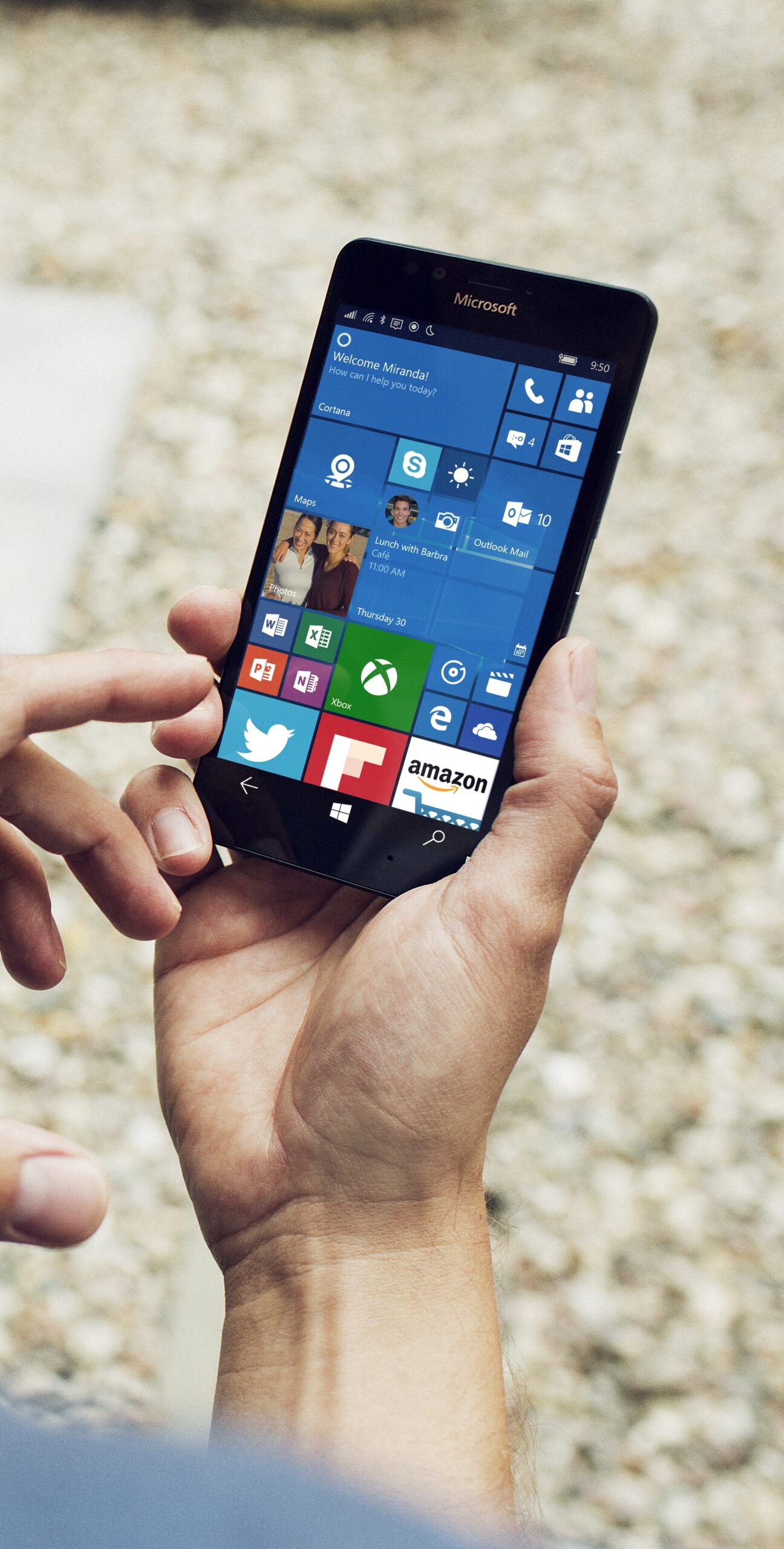
Unveiling the Lumia 950: A Comprehensive Review of Microsoft’s Smartphone
The Lumia 950: A Comprehensive Review
Microsoft’s Lumia 950 smartphone has been a topic of discussion among tech enthusiasts since its release. Packed with features and promising a seamless user experience, this device aims to redefine the way we interact with technology. Let’s delve into the key aspects of the Lumia 950 and see what sets it apart from its competitors.
Design and Display
The Lumia 950 boasts a sleek and elegant design that is both stylish and functional. Its 5.2-inch AMOLED display delivers vibrant colours and sharp contrasts, making it a delight to watch videos or browse the web. The Quad HD resolution ensures that every detail is crisp and clear, providing an immersive viewing experience.
Performance
Equipped with a powerful Snapdragon 808 processor and 3GB of RAM, the Lumia 950 offers smooth performance even when running multiple apps simultaneously. Whether you’re gaming, streaming content, or multitasking, this device handles everything with ease. The Windows 10 operating system further enhances efficiency, providing a seamless user interface.
Camera Quality
One of the standout features of the Lumia 950 is its impressive camera capabilities. The 20-megapixel PureView camera captures stunning photos with rich detail and accurate colours. Additionally, the triple LED flash ensures excellent low-light performance, allowing you to take clear shots in any lighting conditions. The front-facing 5-megapixel camera is perfect for high-quality selfies and video calls.
Continuum Feature
The Lumia 950 introduces the innovative Continuum feature, which allows you to connect your smartphone to a monitor, keyboard, and mouse to create a PC-like experience. This functionality transforms your device into a productivity powerhouse, enabling you to work on documents, browse the web, and use apps on a larger screen seamlessly.
Battery Life
With a removable 3000mAh battery, the Lumia 950 offers decent battery life that can easily last through a full day of moderate usage. The device also supports fast charging technology, allowing you to quickly recharge your phone when needed.
Verdict
The Microsoft Lumia 950 is a feature-packed smartphone that caters to users looking for performance, innovation, and an exceptional camera experience. With its premium design, impressive display quality, powerful hardware specifications, and unique features like Continuum, this device stands out in the competitive smartphone market.
If you’re seeking a versatile device that combines productivity with entertainment capabilities, the Lumia 950 is definitely worth considering.
Top 6 Tips for Maximising Your Lumia 950 Experience
- Make sure to regularly update the software of your Lumia 950 for optimal performance.
- Customize your Start screen with Live Tiles to have quick access to your favourite apps and information.
- Use Windows Hello on your Lumia 950 for a convenient and secure way to unlock your device.
- Take advantage of the Continuum feature to turn your phone into a PC by connecting it to a monitor and keyboard.
- Explore the camera settings to make the most out of the impressive camera capabilities of the Lumia 950.
- Utilize Cortana, your personal assistant, for tasks such as setting reminders, sending emails, and getting directions.
Make sure to regularly update the software of your Lumia 950 for optimal performance.
To ensure optimal performance of your Lumia 950, it is essential to regularly update the software. These updates not only enhance the device’s stability and security but also introduce new features and improvements that can enhance your overall user experience. By staying up to date with the latest software releases, you can make the most of your Lumia 950’s capabilities and enjoy a smoother and more efficient operation.
Customize your Start screen with Live Tiles to have quick access to your favourite apps and information.
Customizing your Start screen with Live Tiles on the Lumia 950 not only adds a personal touch to your device but also enhances your user experience by providing quick access to your favourite apps and important information. By arranging Live Tiles according to your preferences, you can stay updated on notifications, upcoming events, weather forecasts, and more at a glance. This feature allows you to tailor your smartphone to suit your needs and streamline your daily interactions with technology.
Use Windows Hello on your Lumia 950 for a convenient and secure way to unlock your device.
By utilising Windows Hello on your Lumia 950, you can enjoy a convenient and secure method to unlock your device. This innovative feature leverages facial recognition technology to provide quick and effortless access to your smartphone while ensuring enhanced security measures. Simply look at your device, and Windows Hello will swiftly authenticate your identity, offering a seamless and reliable way to unlock your Lumia 950 without compromising on safety.
Take advantage of the Continuum feature to turn your phone into a PC by connecting it to a monitor and keyboard.
Unlock the full potential of your Lumia 950 by utilising the Continuum feature, allowing you to seamlessly transform your smartphone into a fully functional PC. Simply connect your device to a monitor and keyboard to experience a desktop-like interface that enhances productivity and convenience. With Continuum, you can work on documents, browse the web, and use apps with ease on a larger screen, making multitasking a breeze and revolutionising the way you interact with your device.
Explore the camera settings to make the most out of the impressive camera capabilities of the Lumia 950.
To fully harness the remarkable camera capabilities of the Lumia 950, it is essential to delve into the camera settings and explore the array of options available. By customising settings such as white balance, exposure, focus modes, and resolution, users can enhance their photography experience and capture stunning images with precision and clarity. Taking the time to familiarise oneself with these settings can unlock the full potential of the Lumia 950’s impressive camera, allowing for creative expression and professional-quality results in every shot.
Utilize Cortana, your personal assistant, for tasks such as setting reminders, sending emails, and getting directions.
Make the most of your Lumia 950 by utilising Cortana, your personal assistant, for a range of tasks that can enhance your productivity and convenience. From setting reminders and sending emails to getting directions and managing your schedule, Cortana is there to assist you every step of the way. By leveraging Cortana’s capabilities on your Lumia 950, you can streamline your daily activities and stay organised effortlessly.