
New Samsung Phone 2020: A Guide to Samsung’s Biggest Releases
New Samsung Phones in 2020: A Guide to the Year’s Biggest Releases
Samsung had a busy year in 2020, introducing new Galaxy S and Galaxy Note phones alongside foldable models. The launches brought faster displays, more capable cameras and wider availability of 5G. Here’s a look at the main Samsung phones released during the year and what made each one stand out.
Samsung Galaxy S20 series
Announced in February 2020, the Galaxy S20 range comprised the Galaxy S20, Galaxy S20+ and Galaxy S20 Ultra. All three offered high-resolution AMOLED displays, powerful processors and support for a 120Hz refresh rate. The refresh rate made scrolling and compatible games feel smoother, although the phones had to use a lower screen resolution to enable it.
The Galaxy S20 was the most compact model in the range, while the S20+ provided a larger screen and battery. At the top end, the Galaxy S20 Ultra featured a 108-megapixel main camera and a high-zoom camera system. Samsung advertised up to 100x “Space Zoom”, though results at the highest magnifications could be less detailed than at shorter zoom levels.
5G support depended on the model and market, so buyers needed to check the exact version available in their region. The S20 series was suited to people looking for a premium Samsung phone, with the Ultra aimed particularly at those who wanted the largest display and most ambitious camera features.
Samsung Galaxy Note20 and Note20 Ultra
Samsung followed the S20 launch with the Galaxy Note20 and Galaxy Note20 Ultra in August. Both included the S Pen, making them useful for handwritten notes, sketches and other tasks that benefit from a stylus.
The Note20 Ultra was the more advanced of the pair, with a large, high-resolution display and an adaptive refresh rate of up to 120Hz. The standard Note20 had a flat display and a lower refresh rate, but still offered the S Pen and the core Note experience. The two models gave buyers a choice between a more feature-rich device and a less expensive alternative.
Foldable phones: Galaxy Z Flip and Z Fold2
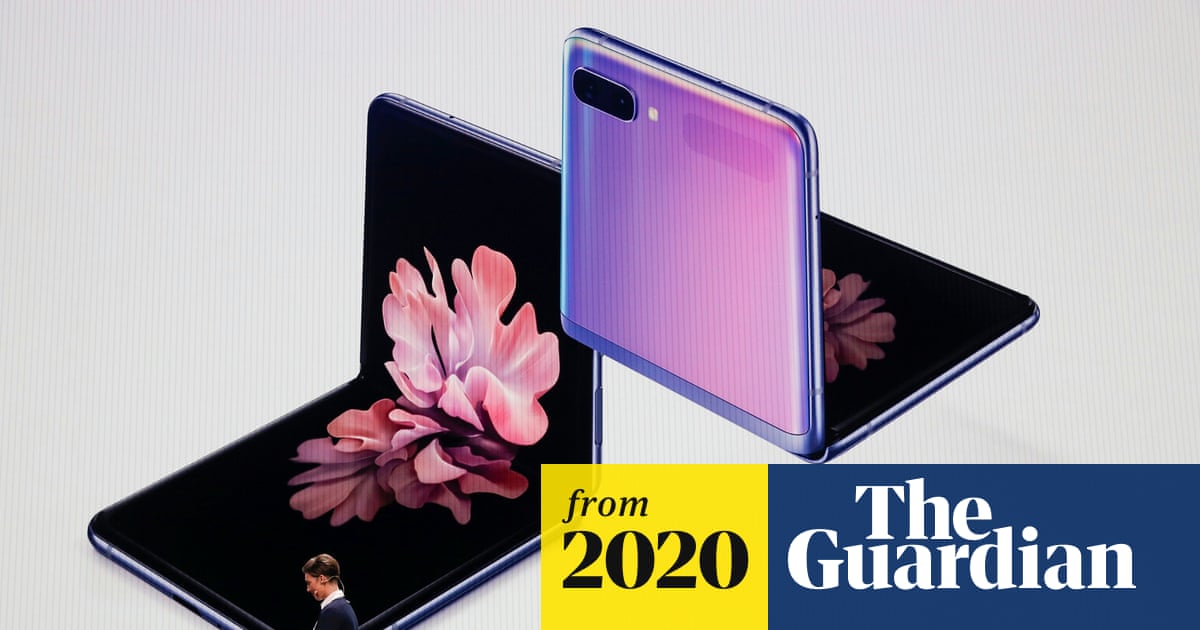
Samsung also continued developing its foldable phones. The Galaxy Z Flip, released early in 2020, folded in half to make a compact device that could fit more easily into a pocket or small bag.
Later in the year, the Galaxy Z Fold2 improved on the original Fold with a much larger cover screen and a spacious folding display inside. It was designed for people who wanted a phone that could open up into a small tablet for reading, multitasking and watching video. As with other early foldables, its flexible design came with a premium price and required more careful handling than a conventional smartphone.
Which 2020 Samsung phone was right for you?
- Galaxy S20: A premium option in a relatively compact size.
- Galaxy S20+: A larger screen and battery without choosing the Ultra model.
- Galaxy S20 Ultra: Samsung’s most camera-focused S-series phone of the year.
- Galaxy Note20: A large-screen phone with an S Pen and a more straightforward feature set.
- Galaxy Note20 Ultra: A top-end Note with a sharper, high-refresh-rate display.
- Galaxy Z Flip: A foldable phone designed to become more compact when closed.
- Galaxy Z Fold2: A phone-tablet hybrid built around a large folding screen.
Verdict
Samsung’s 2020 line-up offered more choice than ever, from conventional flagship phones to devices with foldable screens. The Galaxy S20 models were the all-round premium options, the Note20 range appealed to S Pen users, and the Z Flip and Z Fold2 showcased Samsung’s foldable designs. The best choice depended on whether display size, camera features, stylus support or a folding form factor mattered most.
Essential Tips for Optimising Your New Samsung Phone (2020 Model)
- Install the latest software updates for your model.
- Set up Samsung account backup for photos and settings.
- Use Adaptive Battery to help extend battery life.
- Customise the Edge panel for quick access, if available.
- Try Night mode for clearer low-light photos.
- Enable Find My Mobile in case your phone is lost.
- Use Secure Folder to keep private files separate.
- Choose a strong screen lock and enable fingerprint unlock.
- Check your model’s 5G support before choosing a network plan.
Install the latest software updates for your model.
If you’re still using a Samsung phone released in 2020, install the latest software update available for your specific model. Updates can include security fixes, bug repairs and performance improvements, and may also introduce useful features. Connect to Wi-Fi, make sure the battery is charged, and back up important data before updating. To check, open Settings, tap Software update, then select Download and install. Update availability varies by model, region and mobile network.
Set up Samsung account backup for photos and settings.
When setting up a new Samsung phone from 2020, consider enabling Samsung account backup to help keep your photos and settings safe. Open Settings, tap your Samsung account, then choose Samsung Cloud or the relevant backup option on your device. Select the data you want to sync or back up, such as settings, contacts and gallery items, and make sure the phone is connected to Wi-Fi. Menu names and photo-sync options can vary by model and software version, so check the settings shown on your phone and confirm that the backup has completed.
Use Adaptive Battery to help extend battery life.
To help extend battery life on a 2020 Samsung phone, switch on Adaptive Battery in the battery settings. This feature learns which apps you use most and can limit background activity for apps you rarely open, helping your charge last longer. Its effect may take a little time to become noticeable as the phone learns your habits.
Customise the Edge panel for quick access, if available.
If your 2020 Samsung phone supports Edge panels, customise one to keep your favourite apps, contacts or tools close at hand. Open the Edge panel by swiping inwards from the handle on the side of the screen, then tap the Settings icon to choose which panels to show and adjust their order. You can also move the handle or change its appearance to suit your grip and screen layout. Availability and options vary by model and software version.
Try Night mode for clearer low-light photos.
Try Night mode to take clearer photos in low light. It combines multiple exposures to brighten the scene and bring out more detail, helping you capture night-time views, dimly lit interiors and evening gatherings. Hold your Samsung phone as steady as possible while the photo is taken for the sharpest results.
Enable Find My Mobile in case your phone is lost.
Enable Find My Mobile on your 2020 Samsung phone so you can locate it if it’s lost. Open Settings, go to Biometrics and security (or Security and privacy on some models), then select Find My Mobile and sign in to your Samsung account. Depending on your model and software version, you may also be able to make the phone ring, lock it remotely or erase its data. Check that the feature is switched on before you need it, and keep your Samsung account details secure.
Use Secure Folder to keep private files separate.
Use Secure Folder to keep private files separate from the rest of your Samsung phone. Available on many 2020 Galaxy models, it lets you store selected photos, documents and apps in a protected space secured with a PIN, password, pattern or biometric lock. To get started, open Secure Folder in your phone’s settings and follow the set-up instructions. Remember that files stored there may not appear in your usual gallery or file browser, so you’ll need to open Secure Folder to access them.
Choose a strong screen lock and enable fingerprint unlock.
When setting up a Samsung phone released in 2020, choose a strong screen lock, such as a long PIN or password, rather than an easy-to-guess code. You can also enable fingerprint unlock for quick, convenient access, while keeping your PIN or password as a backup. Avoid sharing your unlock details, and make sure the phone locks automatically when you’re not using it.
Check your model’s 5G support before choosing a network plan.
Before choosing a network plan for your 2020 Samsung phone, check that your exact model supports 5G in your region. Support varied between models and versions, so a phone in the same Galaxy range may not necessarily connect to 5G. Confirm the model number and compatible network bands, then check that your chosen provider offers 5G coverage where you live and work.