
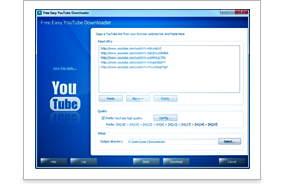
Easy YouTube Video Downloader: A Simple Guide to Safe Offline Viewing
Easy YouTube Video Downloader: What to Know Before You Download
An easy YouTube video downloader may sound like a quick way to save a video for later. But before using one, it is important to understand which options are permitted, how to protect your device and what to do if you simply want to watch offline.
What is a YouTube video downloader?
A YouTube video downloader is a tool or service that saves video content to a device. Some tools claim to download videos through a website, desktop programme or mobile app. Their features and safety standards vary, and not every method is authorised by YouTube or by the person who owns the video.
Choose an authorised option
The simplest option for offline viewing is YouTube’s own download feature, where it is available. Depending on your location, account and the video, this may be offered through YouTube Premium or another official feature. Downloads are generally kept within the YouTube app, rather than saved as a standalone video file.
If you need a video file for editing, teaching or another project, ask the creator for permission or look for an official download link. You can also use videos that you own or that are clearly provided under a licence allowing downloads and reuse. Check the licence terms carefully, including any requirements to credit the creator.
Why caution matters
Downloading videos through unauthorised third-party services may breach YouTube’s terms or the rights of the person who created the content. Some downloader sites also use misleading buttons, pop-ups or bundled software. Never install an unknown programme or provide personal or payment details just to save a video.
Before using any service, check that it comes from a trustworthy source, read its privacy information and avoid pages that ask you to disable security settings. Be especially wary of tools that promise unrestricted access to copyrighted films, music or other content.
A quick checklist
- Use YouTube’s official offline-viewing feature where available.
- Download only videos you own, have permission to save, or are licensed for download.
- Check the creator’s terms and any applicable licence conditions.
- Avoid suspicious websites, unexpected downloads and requests for sensitive information.
- For commercial or public use, confirm that you have the necessary rights.
In summary
The easiest and safest way to watch YouTube videos offline is to use an official YouTube feature. If you need a video file, make sure the creator has authorised the download and that your intended use is covered. A little care can help protect your device while respecting the people who make the videos you enjoy.
Top 9 FAQs About Easy YouTube Video Downloading
- What is the easiest way to download a YouTube video for offline viewing?
- Is it legal to download YouTube videos?
- Can I download YouTube videos without installing software?
- How do I download YouTube videos on my mobile phone?
- Can I download YouTube videos in MP4 format?
- How can I download a YouTube video with subtitles?
- Why is my YouTube video download not working?
- Are online YouTube video downloader websites safe to use?
- Can I download YouTube videos for commercial use?
What is the easiest way to download a YouTube video for offline viewing?
The easiest way to watch a YouTube video offline is to use YouTube’s official download feature in the app, where it is available. Depending on your location, account and the video, this may require YouTube Premium; downloaded videos are usually stored in the app rather than as separate files. If you need a video file, make sure you have the creator’s permission or that the video is licensed for download.
Is it legal to download YouTube videos?
Whether it is legal to download a YouTube video depends on the content, your location and how you download and use it. Downloading may be permitted when YouTube provides an official download option, or when you have the creator’s permission or the video is licensed for download. Using third-party tools to copy videos without authorisation may breach YouTube’s terms of service or copyright law. Check the relevant terms and local laws, and seek permission if you are unsure.
Can I download YouTube videos without installing software?
Yes, you may be able to watch videos offline using YouTube’s official download feature, where it is available; this usually saves them within the YouTube app rather than as separate video files. Be cautious with third-party online downloader websites, as they may be unsafe or unauthorised and could breach YouTube’s terms or the creator’s rights. For a downloadable file, use an option provided by the creator or get their permission.
How do I download YouTube videos on my mobile phone?
To watch YouTube videos offline on your mobile phone, use YouTube’s official download feature where it is available. Open the video in the YouTube app and look for the Download option; availability may depend on your location, account and the video. Downloads are usually stored in the app for offline viewing, rather than saved as a separate video file. Only download content you own or have permission to save, and be cautious of third-party apps or websites that may breach copyright or put your device and personal information at risk.
Can I download YouTube videos in MP4 format?
Yes, but it depends on the video and how you download it. YouTube’s official offline-viewing feature usually keeps downloads within the app rather than providing a standalone MP4 file. If you need an MP4, use a download option provided by the creator or download your own video through YouTube’s authorised tools, and make sure you have permission to save and use the content.
How can I download a YouTube video with subtitles?
To watch a YouTube video offline with subtitles, use YouTube’s official download feature where it’s available, then turn on captions in the player; subtitle availability can depend on the video and your device. If you need a separate video or subtitle file, download only content you own or have permission to use, and ask the creator for the video and caption files. Avoid third-party downloaders unless you’ve confirmed the download is authorised and the service is safe.
Why is my YouTube video download not working?
Your YouTube video download may not be working because the video is unavailable for offline viewing, your internet connection is unstable, your device has limited storage, or the YouTube app needs updating. Check your connection and available space, then try again using YouTube’s official download feature. Downloads may also expire or be restricted by your location, account or the video’s settings. If you’re using a third-party downloader, it may not be authorised or reliable; use an official option or ask the creator for permission to access the video another way.
Are online YouTube video downloader websites safe to use?
Online YouTube video downloader websites are not always safe to use. Some may display deceptive adverts, redirect you to suspicious pages or prompt you to download unwanted software, and their privacy practices may be unclear. Avoid sites that request personal or payment details, ask you to disable security features, or offer downloads that the creator has not authorised. For a safer option, use YouTube’s official offline-viewing features where available, or download content only when you have permission and a legitimate source.
Can I download YouTube videos for commercial use?
Not necessarily. Downloading a YouTube video does not give you the right to use it commercially. You’ll need permission from the copyright owner or a licence that explicitly allows your intended commercial use, and you must follow any conditions, such as crediting the creator. Check the video’s licence and YouTube’s terms before using or downloading it; when in doubt, contact the rights holder for permission.